10Case study / Product
Queue Up
One companion app for battle passes, goals, and daily challenges, in place of players’ makeshift notes.

Introduction
A battle pass tracker for players making do with notes.
There was no comprehensive battle pass tracker on the market, so players made do with makeshift notes and rudimentary code to follow their progress. Queue Up was designed to close that long-standing gap.
Queue Up is a concept I originated, designed, and tested: from the research and the UX and UI design to two rounds of usability testing, and an interactive prototype.
- 8
- Priorities drawn from the research
- 2
- Rounds of usability testing
- 5
- Participants in the first round, from Discord and Reddit
My Role
I took Queue Up from an idea to a tested design:
- ConceptionThe gap: no comprehensive tracker existed, so players made do with notes and code.
- ResearchIn-depth online secondary research, synthesised in an affinity map.
- UX designThe MVP’s routes, mapped as user flows.
- UI designA style guide, wireframes, and WCAG-compliant high-fidelity screens.
- TestingTwo rounds of usability testing, the first with five participants from Discord and Reddit.
The Challenge
- Problem
- Gamers struggle to track and manage battle passes efficiently, which leads to incomplete purchases and missed in-game opportunities.
- Solution
- Queue Up: a battle pass tracker to address these issues, and enhance the gaming experience.
The focus: uncover the features players want, and prioritise the red routes, the journeys an indispensable gaming companion can’t do without.
Design Process
Six steps, each one building on the last:
- 01
Develop
Research, an affinity map, and the MVP’s user flows.
- 02
Design
A style guide, then greyscale wireframes.
- 03
Usability testing
Round one, with five players.
- 04
Final design
High-fidelity screens, shaped by round one.
- 05
High-fidelity testing
Round two, on the high-fidelity design.
- 06
Prototype
A fully interactive prototype.
Research
In-depth online secondary research shed light on the complex world of battle passes, a popular monetisation strategy:
What players struggle with
- Time management
- Repetitive gameplay
- Lack of transparency
- High costs
- FOMO
Players want better tracking of their progression, completion time estimates, challenge status, and time remaining.
How battle passes work
- Seasons
- Progression
- Value
- In-game stores
In-game rewards across time-limited seasons. They need clear progression, a clear sense of value, and a seamless link to the in-game store. Fortnite’s 2017 success shaped the modern model.
The case for an app
- Real-time updates
- Push notifications
- Customisation
Convenience, real-time updates, push notifications, and customisation. But an app must weigh resources, privacy and security, existing third-party tools, and the subset of players who value real-time tracking.
Affinity Mapping
I chose affinity mapping to synthesise the research. It broke down a lot of secondary research quickly, surfaced the features to prioritise, and made decisions fast and clear.
Common aspects of successful battle passes
- Clear progression paths
- Engaging challenges and objectives
- Frequent updates and events
- Transparency in costs and rewards
- Cross-progression
- Value for money spent
- Cross-platform play
Factors influencing purchase behaviour
- Game popularity
- Monetisation model
- In-game engagement
- Community and social factors
- Game genre
Tracking battle passes
- Completion goals
- Progress tracking
- Challenge status
- Visual progression
- Time remaining
- Notifications
- Completion rewards
- Cross-platform tracking
- Customisable goals
- Statistics and historical data
Battle pass app considerations: pros
- Convenience
- Real-time updates
- Push notifications
- Customise
Battle pass app considerations: cons
- Resource intensity
- Privacy and security concerns
- Limited appeal
User preferences and concerns
- Customise
- Time commitment
- Pay-to-win concerns
- Exclusivity of content
- Monetisation criticism
User Flows
User flows set the MVP’s routes: viewing and editing battle pass goals, adding a battle pass and setting a goal, answering a notification, and checking the daily challenges.
01Edit a goal
- Home
- Battle Pass Goals
- Customise goal
- Goal optionsTime left
- Select goal
- Finalise
02Add a battle pass
- Home
- Add Battle Pass
- Pass Select
- Choose Pass
- Pass Added
- Set Up Battle Pass GoalYes: on to Customise goal
- Finalise
03Answer a notification
- Home
- Notifications Pop-Up
- Yes/No
- Return to Screen
04Check the dailies
- Home
- Dailies
- Daily Quests Progress View
- Return Home
Style Guide
The style guide was the reference for the logo, the colours, and every UI element, so the wireframes and the high-fidelity design stayed consistent and cohesive.

The logo
Six versions: purple, teal, and black, each with and without the wordmark.
The purple scale
- #7F39FB
- #985EFF
- #BB86FC
- #DBB2FF
- #F2E7FE
Primary 200, #BB86FC, at the centre of a five-step scale.
System colours
- #03DAC5
- #211E1E
- #CF6679
- #FFFFFF
- #343434
Secondary teal, the background, error, and body text on dark and on light.
Type
- Be Vietnam Pro
- Poppins
Headers in Be Vietnam Pro Medium and Poppins Regular, both at −5% letter spacing.

From Wireframe to High Fidelity
Detailed greyscale wireframes set the layout and the functionality. The high-fidelity design followed, shaped by the first round of usability testing.


Wireframe: Greyscale wireframe of the Home screen: an attention banner about a battle pass ending soon, and cards for Fortnite, Apex Legends, Overwatch 2, and Genshin Impact with days remaining. Design: High-fidelity Home screen in purple: an attention banner saying a Genshin Impact battle pass is ending soon, and current battle passes for Apex Legends, Fortnite, and Genshin Impact with progress rings and days remaining.

Goals

Add Battle Pass
Gamification is built in: badges, rewards, statistics, and progress tracking, to motivate and entertain players. They encourage players to set and achieve goals, track their progress, and earn rewards.
Usability Testing
Five participants, recruited from video game communities on Discord and Reddit, tested the app remotely. Round one found:
6 changes
- Rename “Confirm goal” to “Set goal”, for clarity.
- Clarify what the big + (add) button does.
- Rearrange the dailies, for a better experience.
- Shrink the obstructive alarm banners, and add a way to close them.
- Explore where the notifications screen belongs.
- Add a featured battle pass, for the product lifecycle and revenue.
4 suggestions
- An edit option, for more control.
- The confirm-goal button within easier reach.
- A rethink of where settings live.
- No passes without goals in the dailies.
4 ideas to explore
- Filtering dailies by goal type.
- Promoting popular battle passes.
- A dedicated Dailies section on Home.
- Tapping a daily to see its games and goals.
Accessibility
Every element of the high-fidelity design was designed to meet WCAG, on a style guide already established as accessible, so the design stood on a solid foundation.
Queue Up
6.25 to 1
Queue Up’s primary purple on its background
Passes AA
#BB86FC on #211E1E
High-Fidelity Testing
Round two tested the high-fidelity design:
8 changes
- Reverse the slider values.
- Alphabetise Home and the dailies.
- Brighten the header, for accessibility.
- Rework the celebration screen as a confirmation.
- Rename the button on the Fortnite goal page.
- Add a dailies progress bar under the goals.
- Rethink the Game Time button.
- Clear up confusion about pass duration.
4 suggestions
- Less purple across the app.
- Show whether a game is connected to an account.
- Consider removing the plus icon from Add Battle Passes.
- Turn the goal-setting bar into a progress bar.
2 ideas to explore
- Premium features behind a subscription.
- A desktop version, in the future.
Final Design Adjustments
Feedback from both rounds shaped the final adjustments, screen by screen:
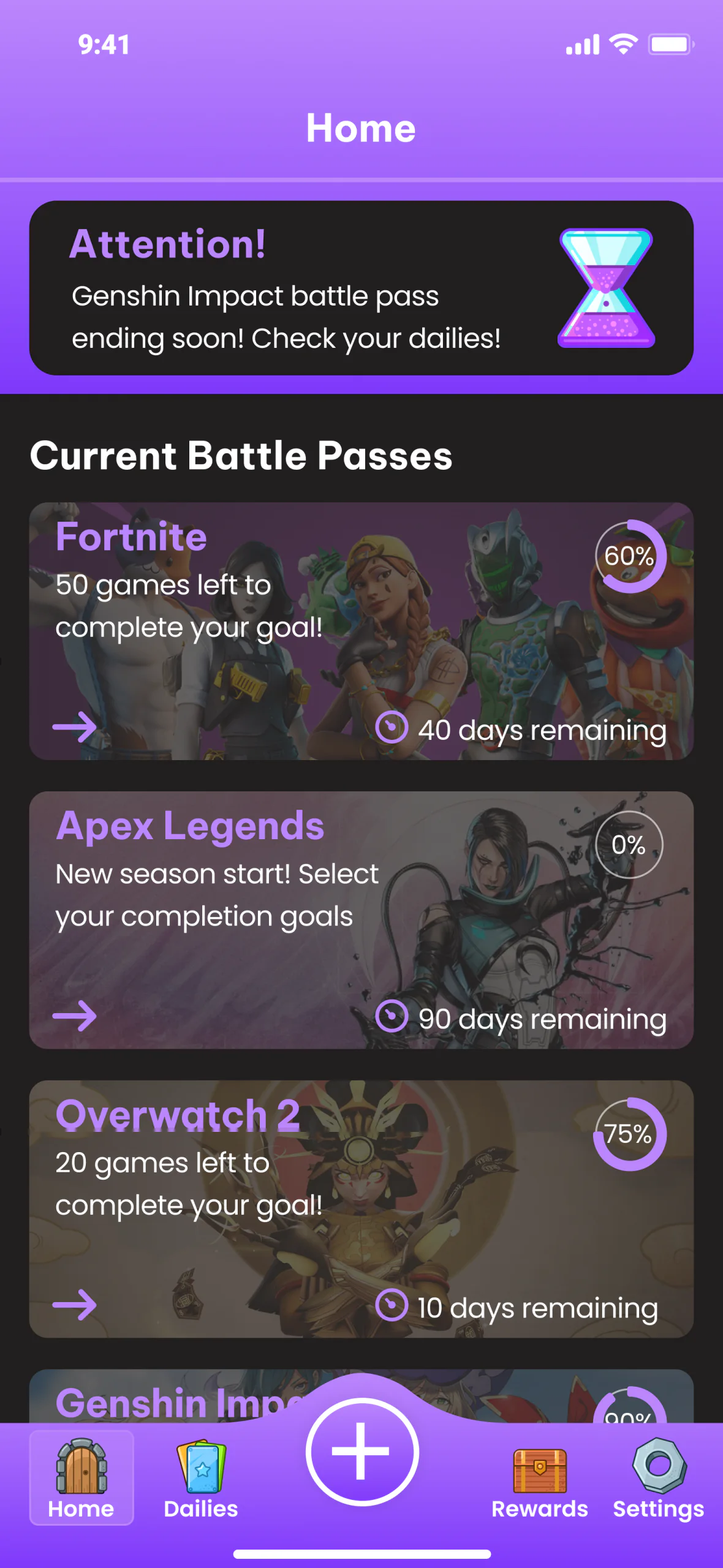
BeforeWhat testing found
- Order of adding
- Small progress wheel
Games were arranged in the order they were added, and the progress wheel was undersized.
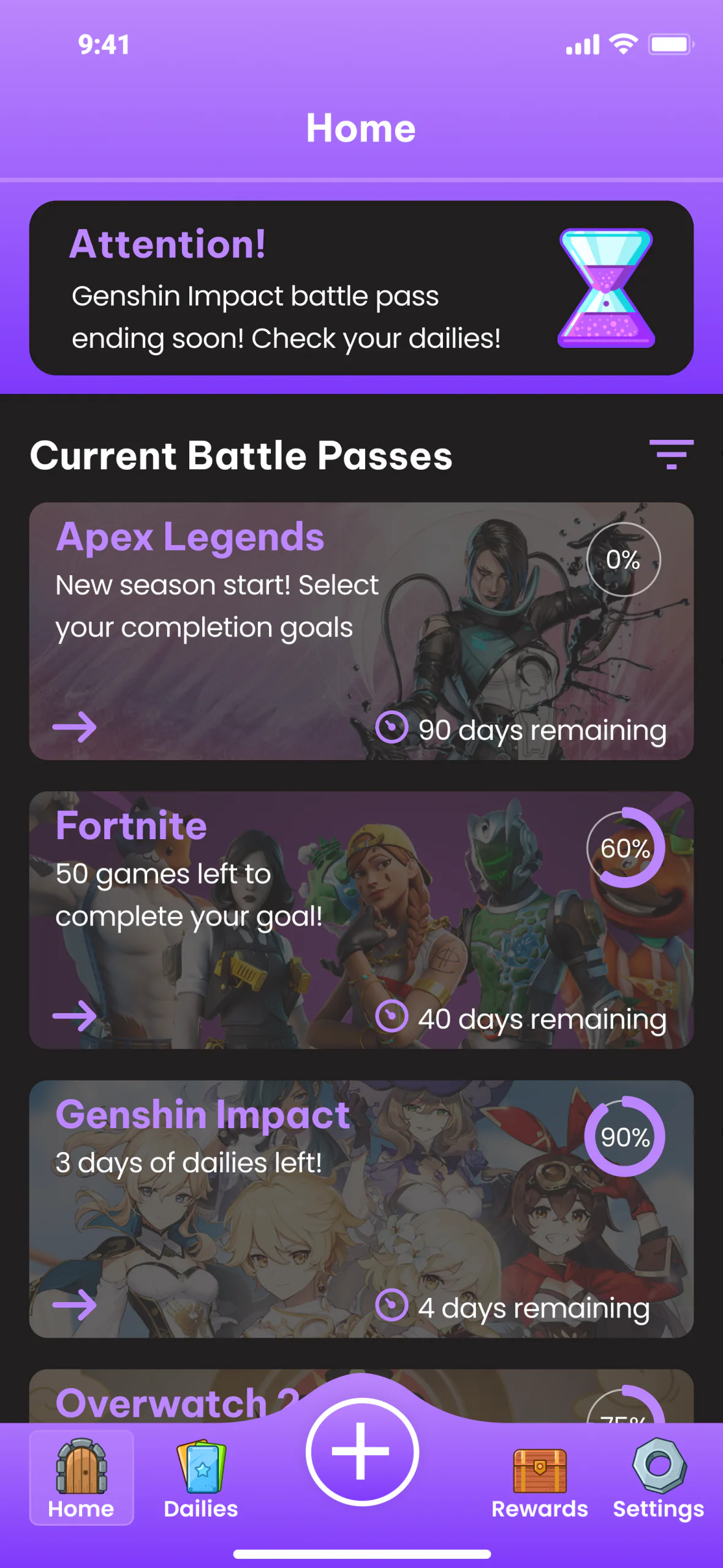
AfterWhat changed
- Filter
- Alphabetised
- Bigger progress wheel
A new filter option, also added to the Add Battle Pass screen; games in alphabetical order; and a bigger progress wheel, for visibility and ease of use.


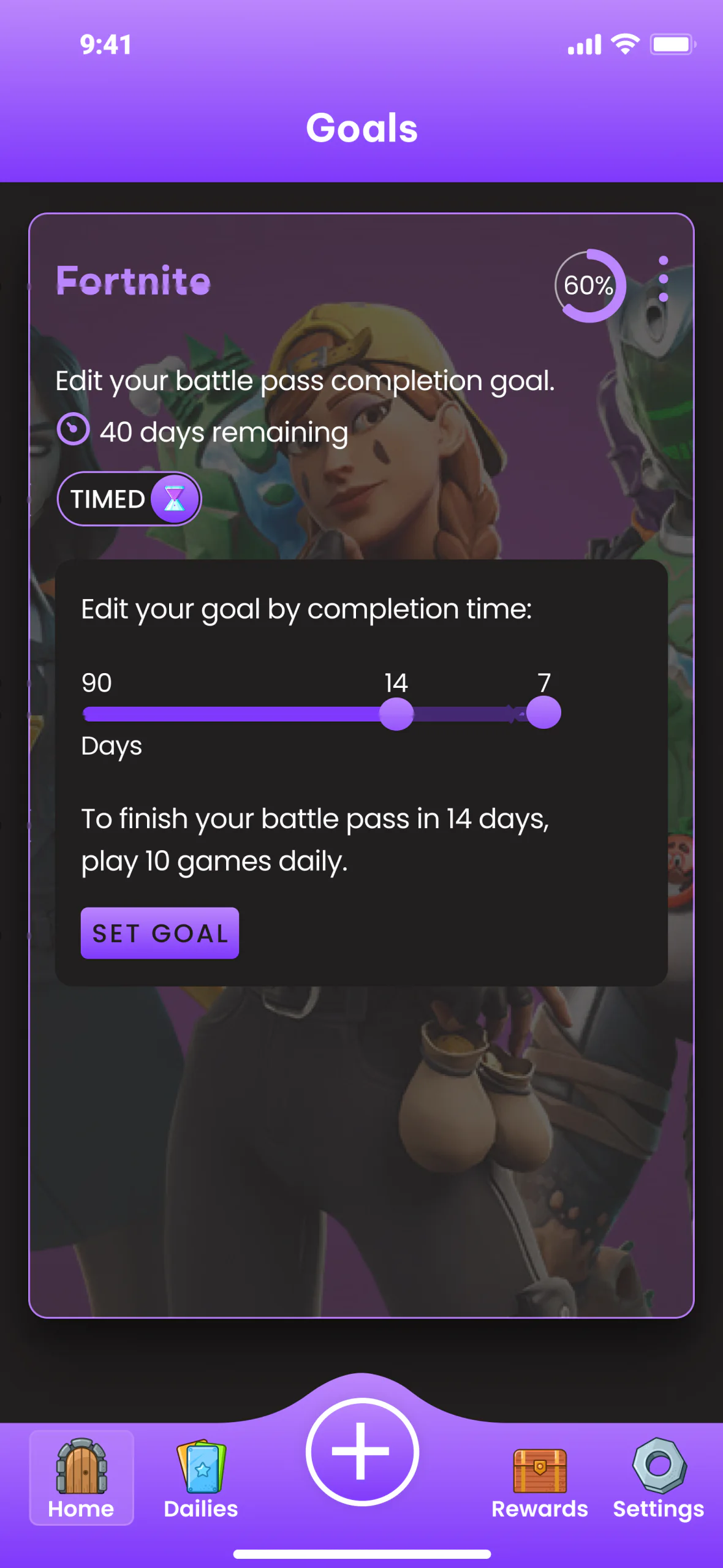
BeforeWhat testing found
- Small progress wheel
- One toggle option
- Highest to lowest, two circles
- Set goal button
The progress wheel was undersized, only one toggle option showed, the goal numbers ran from highest to lowest with two unclear circles, the dark background was too solid, and the Set goal button could have been clearer.
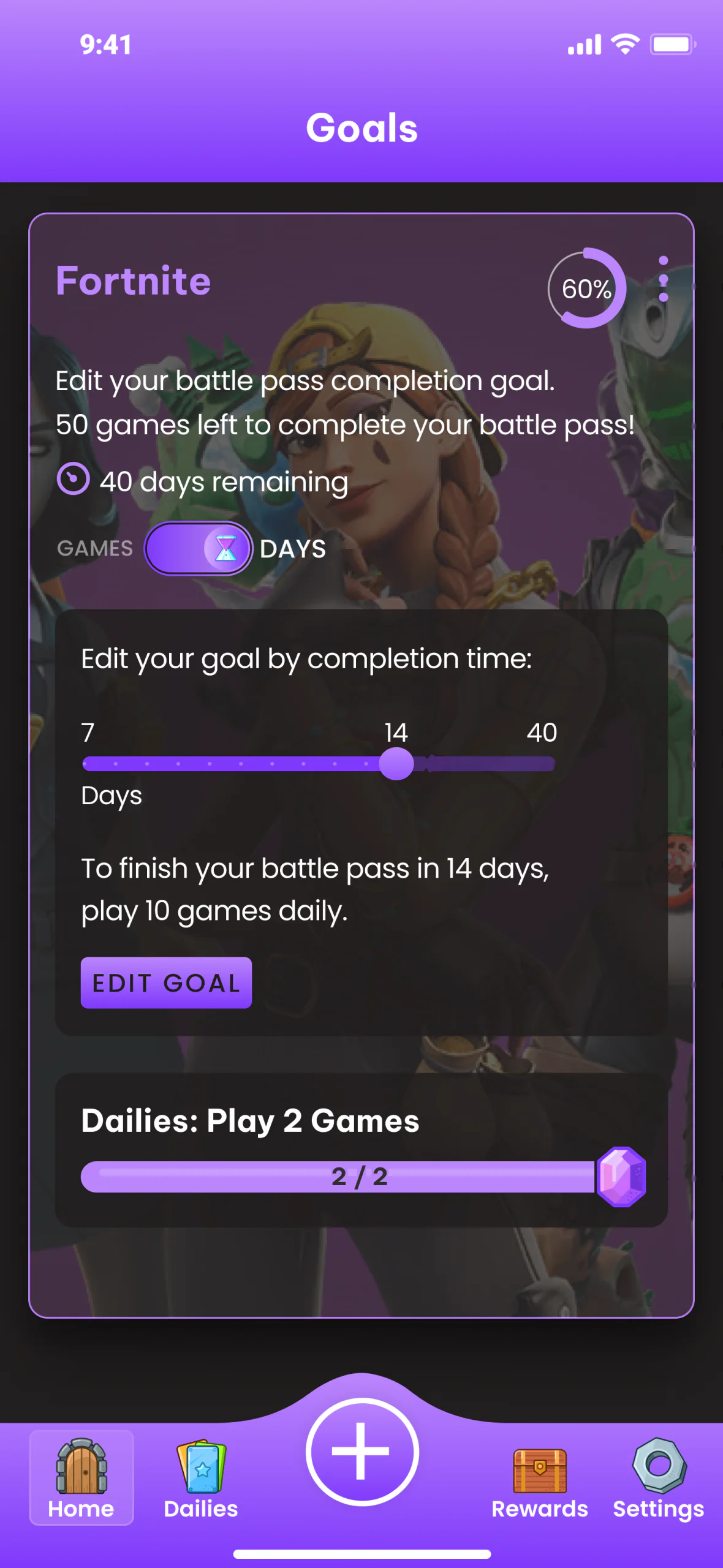
AfterWhat changed
- Bigger progress wheel
- Games remaining
- Both toggle options
- Lowest to highest, one circle
- Edit goal button
- Dailies view
A bigger progress wheel, the games remaining in view, both toggle options, numbers from lowest to highest with one circle, a dark background that blends in, an Edit goal button, and the dailies on the goal screen.


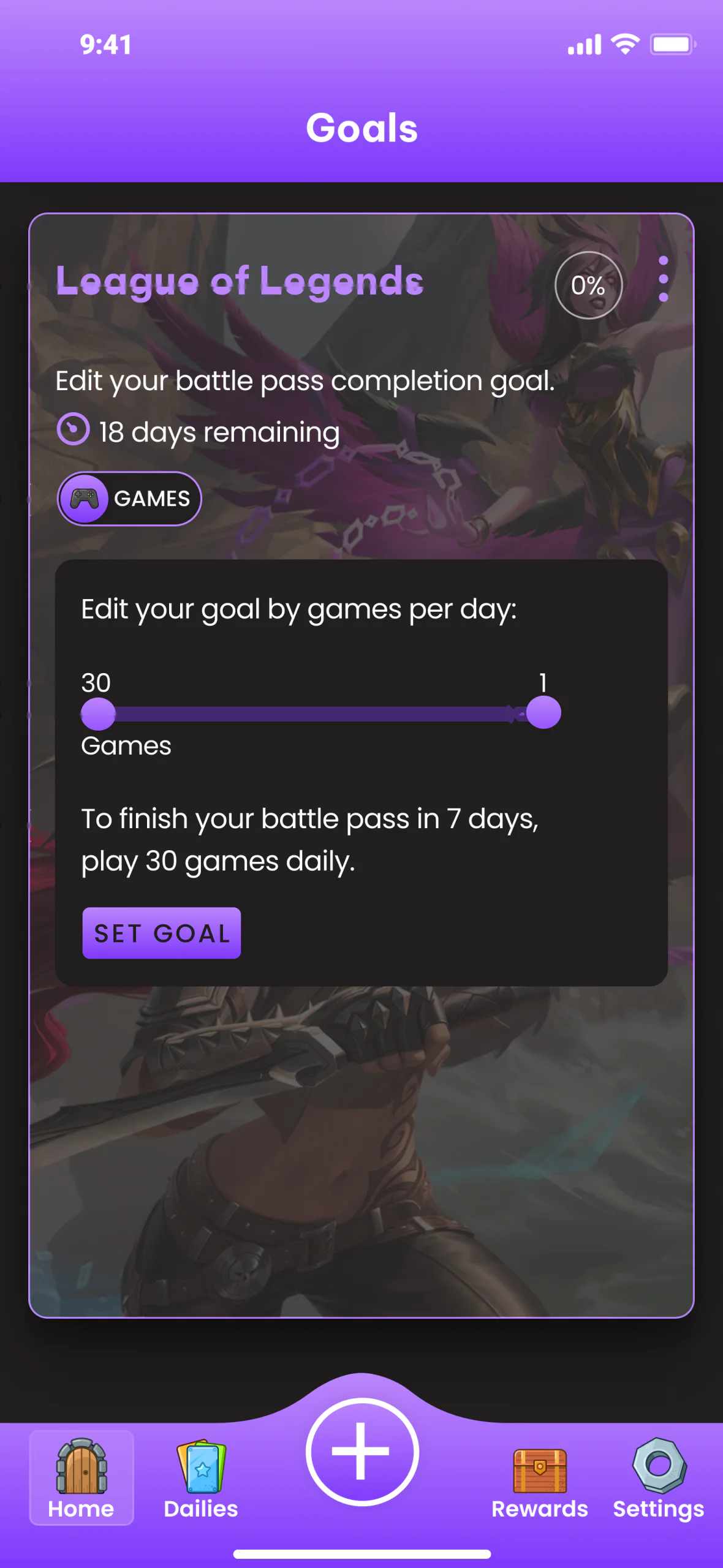
BeforeWhat testing found
- Small progress wheel
- One toggle option
- Highest to lowest, two circles
The same undersized wheel and single toggle, goal numbers from highest to lowest with two circles, and a dark background that was too solid.
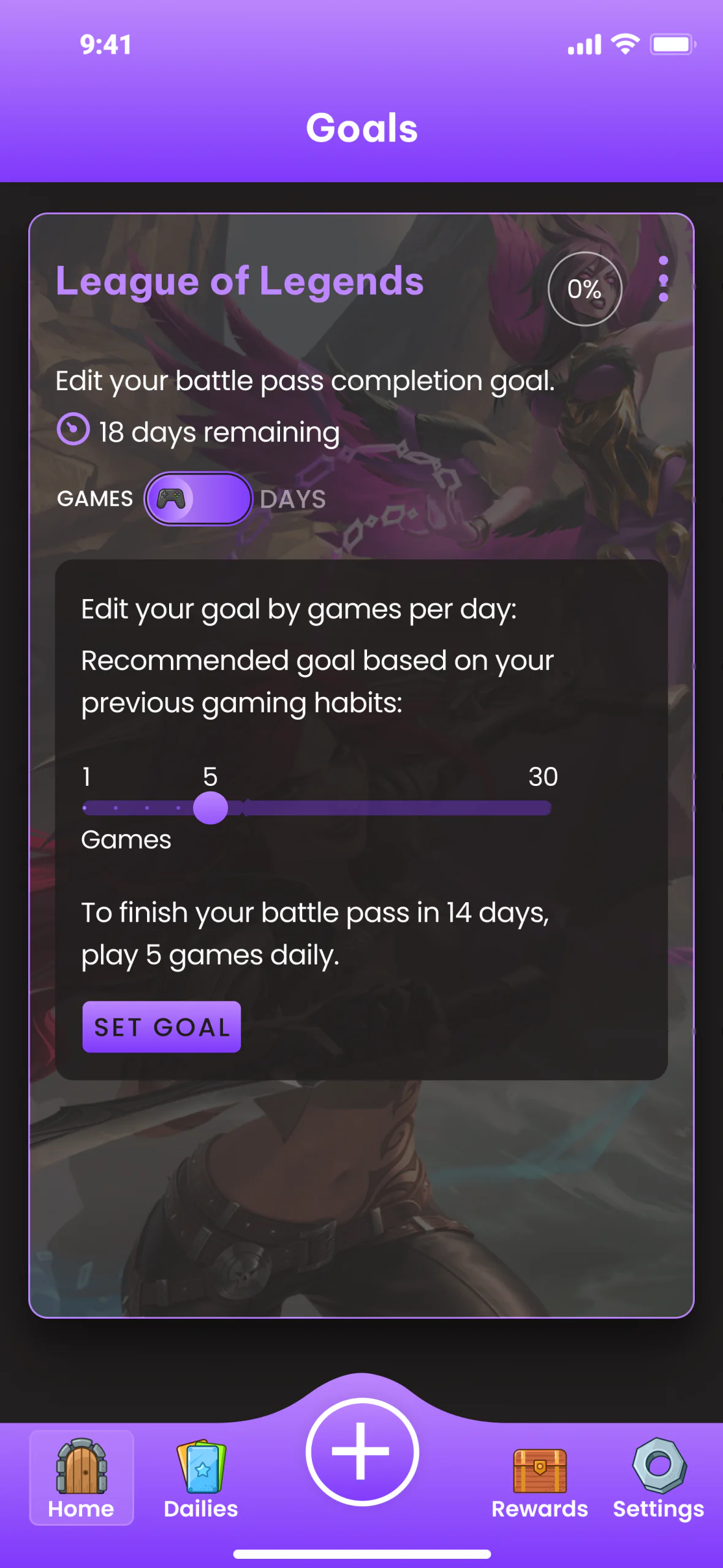
AfterWhat changed
- Bigger progress wheel
- Both toggle options
- AI recommendation
- Lowest to highest, one circle
A bigger wheel, both toggle options, numbers from lowest to highest with one circle, a background that blends in, and an AI recommendation based on the player’s previous gaming habits.


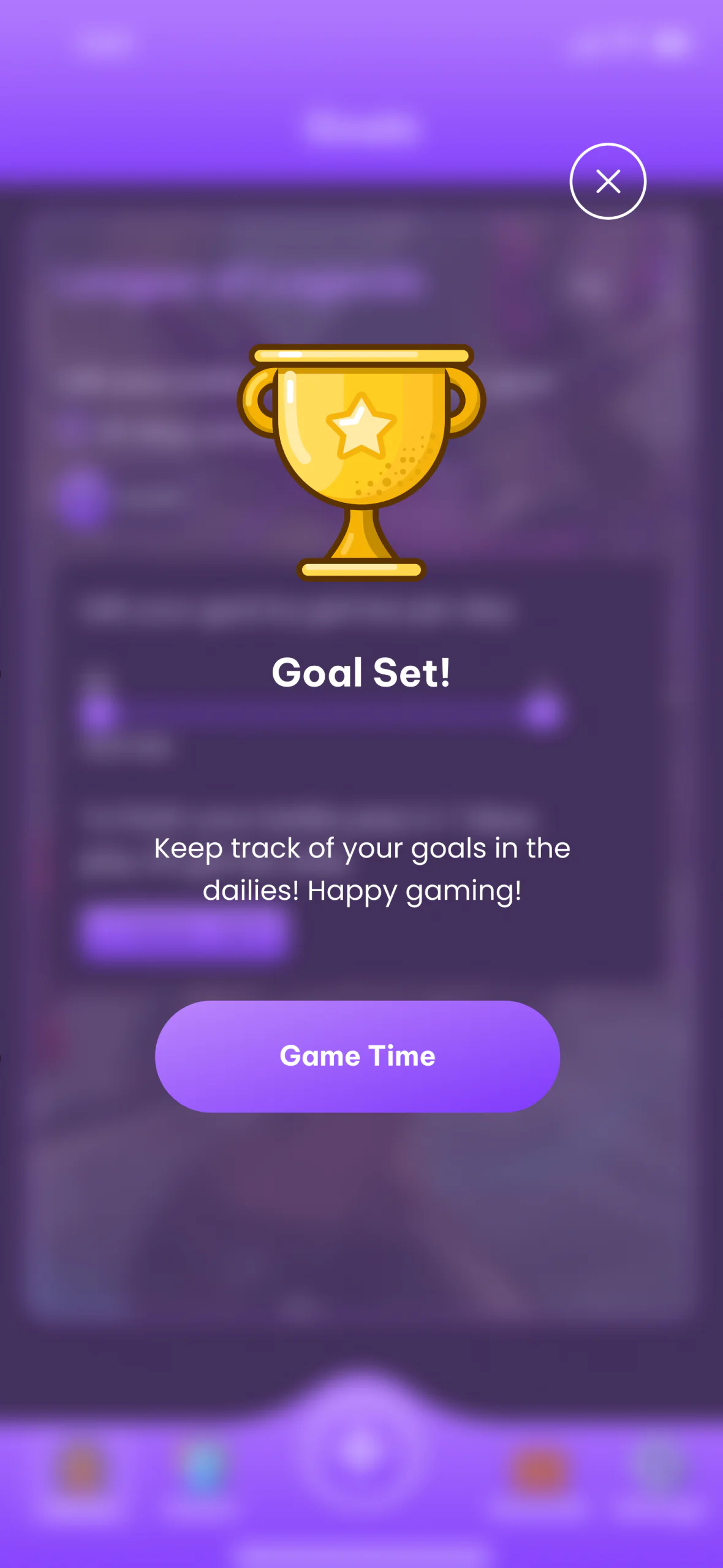
BeforeWhat testing found
- Short header
- Game Time button
The header copy was concise, and the Game Time button was unclear in its function.
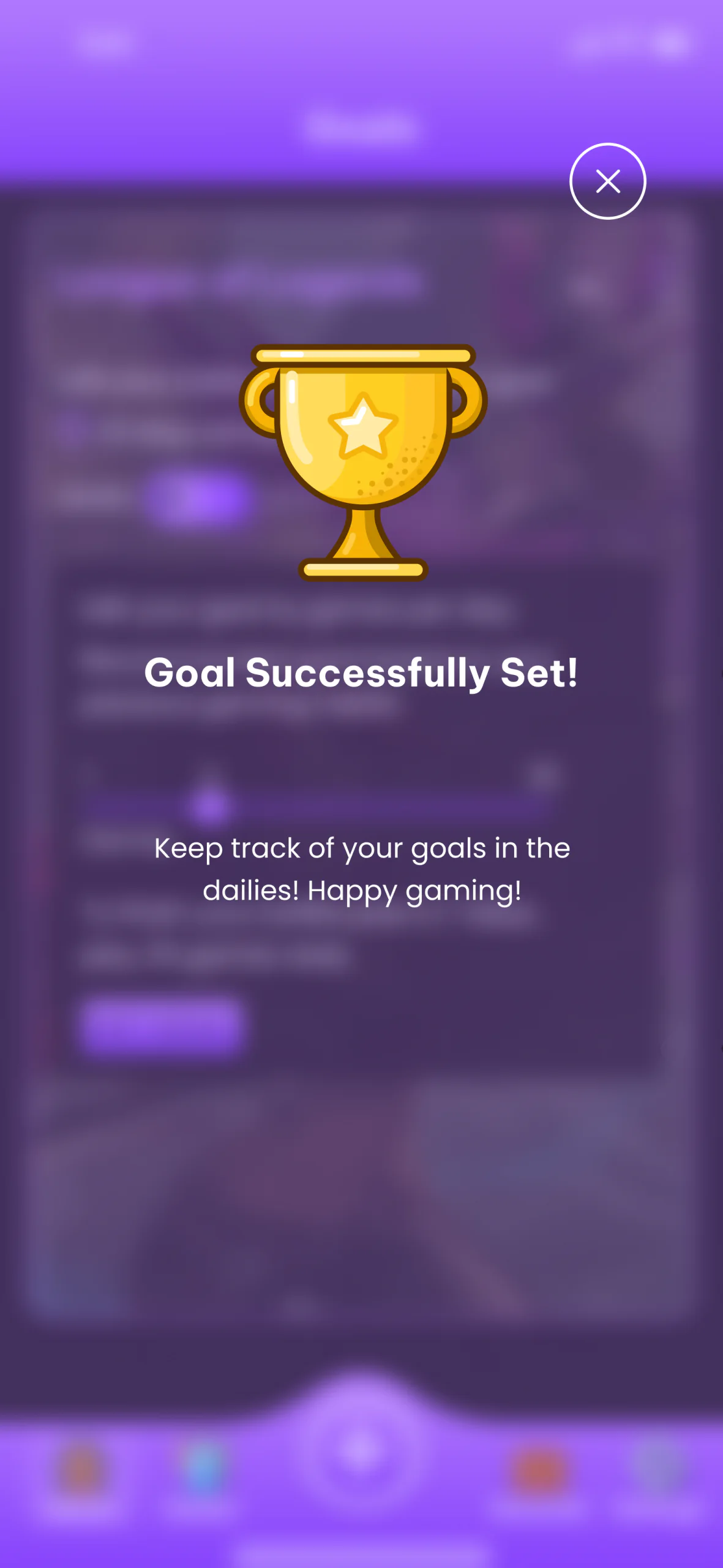
AfterWhat changed
- Fuller header
- Button removed
The header now gives more information, and the button is gone.


What’s Next
Where Queue Up could go next:
Refinement
Potential enhancements: more preferences and filtering options for personal sorting, building on features like the alphabetised dailies, with usability testing and feedback shaping later versions.
Retention, without intrusive ads
Game companies could promote their battle passes in the app, driving downloads and purchases. A future subscription could add premium features, like advanced statistics and tracking dailies beyond battle passes.
AI goals
AI would follow each player’s gaming behaviour and suggest personal daily goals, turning battle passes into achievable, rewarding objectives.
Learnings
- 01
Find the gap. Unmet needs, like tracking and managing battle passes, can lead to valuable solutions.
- 02
Usability and accessibility, together. Following both guidelines makes an app for a wide audience.
- 03
Plan the business with the product. Gamification and promoted passes can support long-term success.
- 04
Personal by design. AI that tracks each player’s gaming behaviour and personalises recommendations can enhance their satisfaction.
- 05
Leave room to grow. Advanced statistics, behaviour tracking, and extended dailies can lift the app’s value further.
Conclusion
Queue Up shows the importance of user-centred design and continuous improvement, and the potential of AI-driven features to enhance the gaming experience.